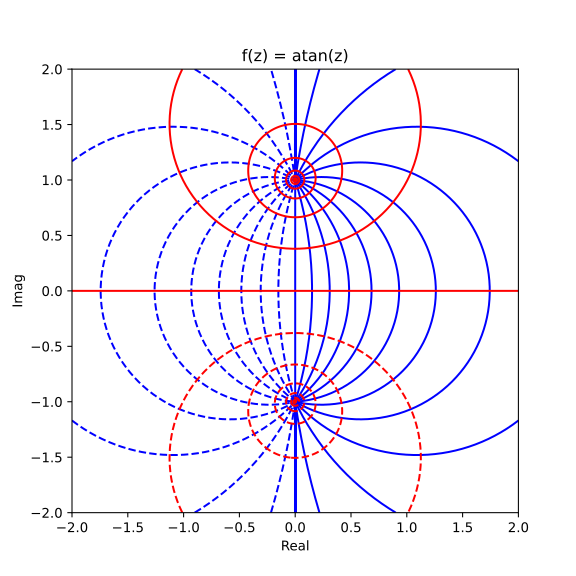
Complex functions rendered as contours#
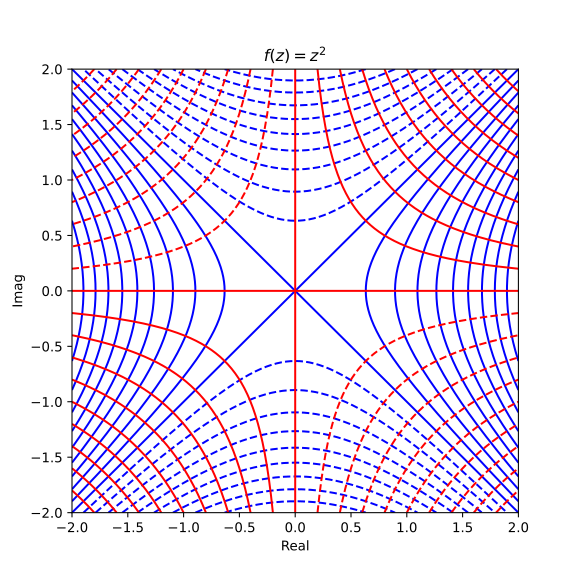
Complex square function#
The Python code for the example below can be found online in the DataXlCalcNet repository or in the corresponding local DataXlCalcNet folder in the file D01_8_ContourComplex.py, and the XML code in the file D01_8_ContourComplex.2D.xml.
To produce the figure as shown below, the try-block at the end of the file should look like this:
try:
    if __name__ == '__main__':
        Contour2dComplex(func=lambda z:z*z, wclip=20.0,
            showlevels=True, Title=r'$f(z)=z^2$')
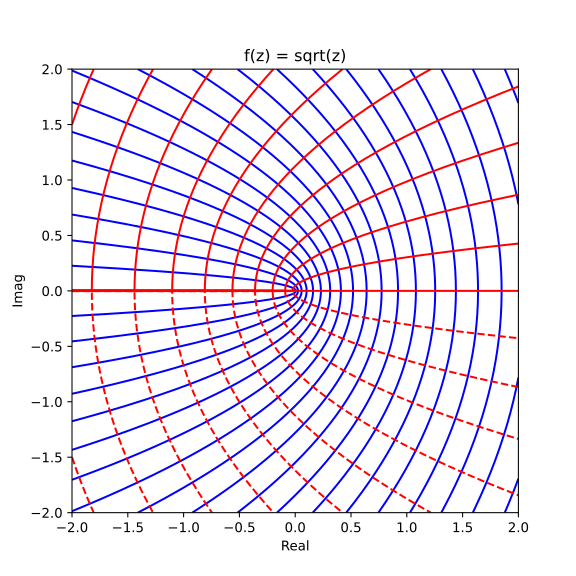
Complex sqrt function#
The Python code for the example below can be found online in the DataXlCalcNet repository or in the corresponding local DataXlCalcNet folder in the file D01_8_ContourComplex.py, and the XML code in the file D01_8_ContourComplex.2D.xml.
To produce the figure as shown below, the try-block at the end of the file should look like this:
try:
    if __name__ == '__main__':
        Contour2dComplex(func=np.sqrt, wclip=20.0, Title='f(z)=sqrt(z)')
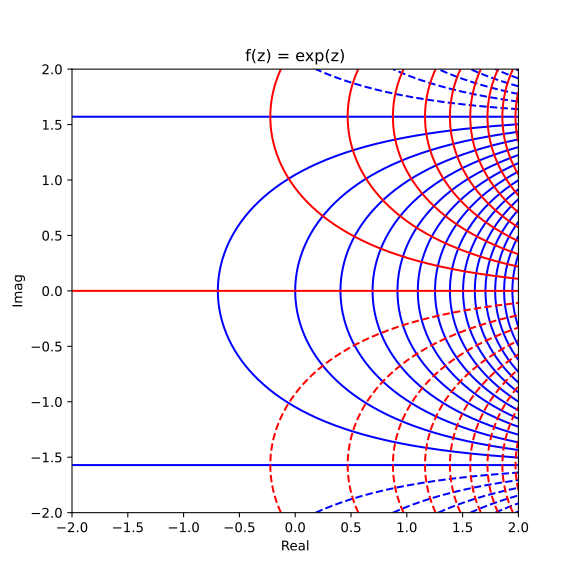
Complex exp function#
The Python code for the example below can be found online in the DataXlCalcNet repository or in the corresponding local DataXlCalcNet folder in the file D01_8_ContourComplex.py, and the XML code in the file D01_8_ContourComplex.2D.xml.
To produce the figure as shown below, the try-block at the end of the file should look like this:
try:
    if __name__ == '__main__':
        Contour2dComplex(func=np.exp, wclip=20.0, Title='f(z)=exp(z)')
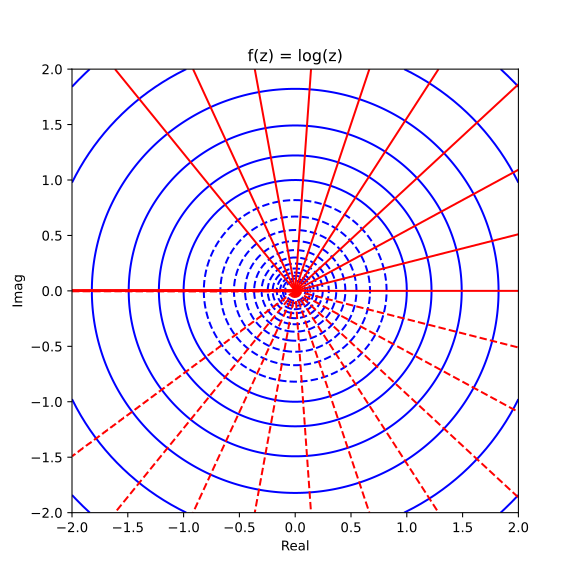
Complex log function#
The Python code for the example below can be found online in the DataXlCalcNet repository or in the corresponding local DataXlCalcNet folder in the file D01_8_ContourComplex.py, and the XML code in the file D01_8_ContourComplex.2D.xml.
To produce the figure as shown below, the try-block at the end of the file should look like this:
try:
    if __name__ == '__main__':
        Contour2dComplex(func=np.log, wclip=2.5, Title='f(z)=log(z)')
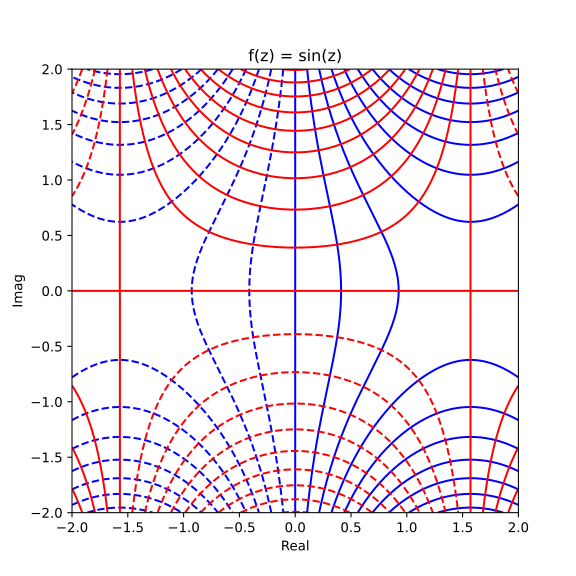
Complex sine function#
The Python code for the example below can be found online in the DataXlCalcNet repository or in the corresponding local DataXlCalcNet folder in the file D01_8_ContourComplex.py, and the XML code in the file D01_8_ContourComplex.2D.xml.
To produce the figure as shown below, the try-block at the end of the file should look like this:
try:
    if __name__ == '__main__':
        Contour2dComplex(func=np.sin, wclip=20.0, Title='f(z)=sin(z)')
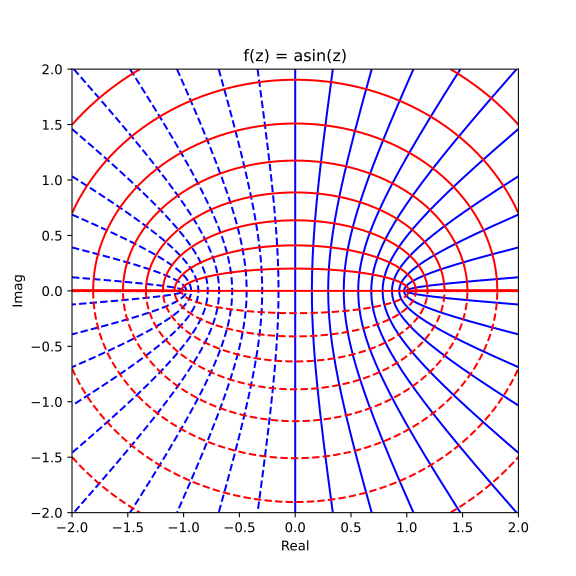
Complex asin function#
The Python code for the example below can be found online in the DataXlCalcNet repository or in the corresponding local DataXlCalcNet folder in the file D01_8_ContourComplex.py, and the XML code in the file D01_8_ContourComplex.2D.xml.
To produce the figure as shown below, the try-block at the end of the file should look like this:
try:
    if __name__ == '__main__':
        Contour2dComplex(func=np.asin, wclip=20.0, Title='f(z)=asin(z)')
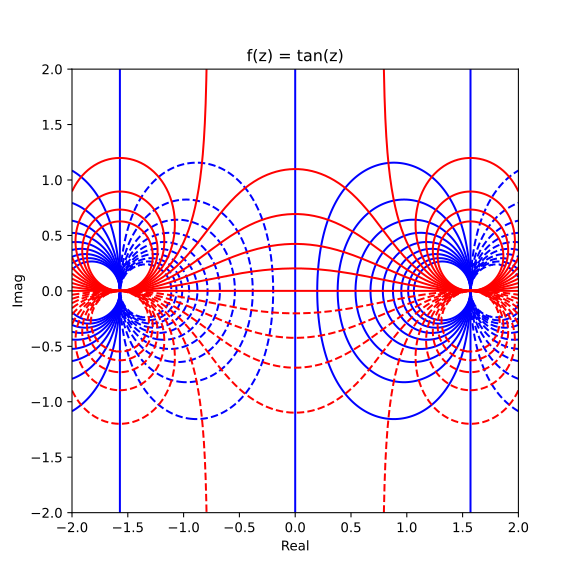
Complex tan function#
The Python code for the example below can be found online in the DataXlCalcNet repository or in the corresponding local DataXlCalcNet folder in the file D01_8_ContourComplex.py, and the XML code in the file D01_8_ContourComplex.2D.xml.
To produce the figure as shown below, the try-block at the end of the file should look like this:
try:
    if __name__ == '__main__':
        Contour2dComplex(func=np.tan, wclip=2.0, Title='f(z)=tan(z)')
Complex atan function#
The Python code for the example below can be found online in the DataXlCalcNet repository or in the corresponding local DataXlCalcNet folder in the file D01_8_ContourComplex.py, and the XML code in the file D01_8_ContourComplex.2D.xml.
To produce the figure as shown below, the try-block at the end of the file should look like this:
try:
    if __name__ == '__main__':
        Contour2dComplex(func=np.atan, wclip=20.0, Title='f(z)=atan(z)')